GizmoBench guides
Remove Duplicate Lines: A Practical Guide for Any Text List

Removing duplicate lines means keeping one copy of every distinct line and discarding the rest. The method matters less than three decisions you make first: whether “Apple” and “apple” count as the same line, whether a stray trailing space makes two lines different, and whether the survivors should stay in their original order or end up sorted. Get those three right and any tool, from a text editor to a command line, gives you the list you expected.
This guide walks through those decisions, then the practical methods (command-line tools, regular expressions and PowerShell), with worked examples, so you can clean an email list, a keyword export, a log file or a shopping list without surprises. Where a cleanup step is the same as a task GizmoBench’s browser tools handle, we point to it. Those tools run locally in your browser, so your text is not uploaded for processing.
TL;DR
- Decide the matching rules before you dedupe: exact match, ignore case, and ignore leading or trailing spaces give different results on the same list.
- Keeping the original order and sorting are different outcomes.
awk '!seen[$0]++'keeps first-appearance order;sort -ureturns an alphabetized list. uniqalone only removes repeats that sit next to each other, so unsorted input needssortfirst.- “Remove extra copies” and “delete every line that appears more than once” are different operations;
uniq -udoes the second. - Clean whitespace first, and write results to a new file rather than overwriting the one you are reading.
Table of Contents
- What counts as a duplicate line
- Step 1: Normalize the text before you dedupe
- Step 2: Choose between keeping order and sorting
- Step 3: Remove the duplicates
- Worked example: a keyword list
- Two meanings of “remove duplicates”
- Sorting text lines, and how it interacts with deduping
- Large files
- Doing this in the browser
- A short checklist
- FAQ
- Sources
What counts as a duplicate line
A computer compares lines character by character. Two lines are duplicates only if every character matches, including capital letters, punctuation, tabs and spaces at the end. One tutorial on the macOS command line makes this explicit: a trailing space or a different capitalization makes two lines different, and adding the -f (fold case) flag to sort does not make the dedupe step ignore case.
That is why a list that looks like it has obvious repeats often survives deduplication untouched. Consider this list:
maria@example.com
Maria@example.com
maria@example.com
lee@example.com
lee@example.com
A strict exact-match pass removes only one line (the second lee@example.com) and leaves three versions of Maria. To collapse Maria into one entry you need to trim the trailing space and lowercase the text, or use a tool with an ignore-case option. Email addresses are a good illustration, but the same thing happens with product names, keywords, URLs and names in a roster.
Step 1: Normalize the text before you dedupe
Two cleanups remove most false “unique” lines.
Whitespace. Trailing spaces, tabs and double spaces are invisible and are the most common cause of duplicates that will not go away. The Remove Extra Whitespace page on GizmoBench is built for exactly this kind of cleanup. If you only want to check whether two versions of a list differ apart from spacing, Compare Text Ignoring Whitespace does that comparison.
Line breaks. Lists pasted from different systems can use different line endings, and sometimes a list arrives as one long paragraph. If your items are not on separate lines yet, fix that first; the Remove Line Breaks page handles the opposite direction (joining lines) when you need a single-line result after cleaning.
Case. Decide whether capitalization is meaningful. For email addresses and keywords it usually is not; for passwords, file names on some systems and code identifiers it is. If it is not meaningful, convert everything to one case before comparing, or choose a tool that has an ignore-case switch.
A useful habit: keep your original list untouched and work on a copy. Deduplication is not reversible, because once a copy is deleted nothing records how many there were.
Step 2: Choose between keeping order and sorting
This is the decision that changes your output the most. The two main approaches behave differently on the same input.
A note demonstrating both approaches uses a list of colors: sort -u reorders the entries alphabetically, while awk '!seen[$0]++' keeps them in the order they first appear. The caxton.app guide gives a second example: on a file containing b, a, b, c, a, the awk command prints b, a, c, as that guide shows.
| Goal | Command | Result on b, a, b, c, a |
|---|---|---|
| Keep first occurrence, original order | awk '!seen[$0]++' file.txt |
b, a, c |
| Alphabetical, one copy of each | sort -u file.txt |
a, b, c |
| Remove only adjacent repeats | uniq file.txt |
b, a, b, c, a (nothing is adjacent) |
When order carries meaning (a ranked list, a chronological log, a reading order), keep the first occurrence. When order does not matter and you want a tidy, scannable result, sort.
The awk pattern works because it keeps a record of every line it has seen: a line is printed only the first time it appears, which is why the first copy is the one that survives.
Step 3: Remove the duplicates
With sort and uniq
The uniq command is the one people reach for first, and it is the one that most often disappoints. Its Linux manual page states that with no options, matching adjacent lines are merged into the first occurrence, and that it does not detect repeated lines unless they are adjacent. So the classic idiom is sort file.txt | uniq. John D. Cook describes the same point: uniq alone will not remove all duplicates unless the input is sorted, and sort -u shortens the idiom to one command. One reference describes sort -u words.txt as equivalent to sort words.txt | uniq.
A safe working pattern:
sort -u names.txt > names-unique.txt
Sending the output to a new file matters. As the caxton.app guide notes, sort reads the file, orders it and prints the result, so redirecting into the same file you are reading is a good way to lose it. Write to a new name, check it, then replace the original if you want to.
With awk, keeping the original order
awk '!seen[$0]++' names.txt > names-unique.txt
This keeps one copy of each line in the order lines first appear. A Unix Stack Exchange answer also gives a GNU awk in-place variant, awk -i inplace '!seen[$0]++' filename; because it edits the file directly, make a backup copy first.
With PowerShell on Windows
Windows users can do the same with built-in cmdlets, but case handling differs between them, so it is worth knowing. Microsoft’s PowerShell case-sensitivity documentation states that Select-Object -Unique and Get-Unique are case-sensitive by default (a -CaseInsensitive switch arrived in PowerShell 7.4), while Sort-Object -Unique is case-insensitive by default and has a -CaseSensitive switch. A typical case-insensitive, sorted pipeline:
Get-Content names.txt | Sort-Object -Unique | Set-Content names-unique.txt
The same input could therefore give different counts depending on which cmdlet you pick, so check the behavior on a small sample first.
With a regular expression in a text editor
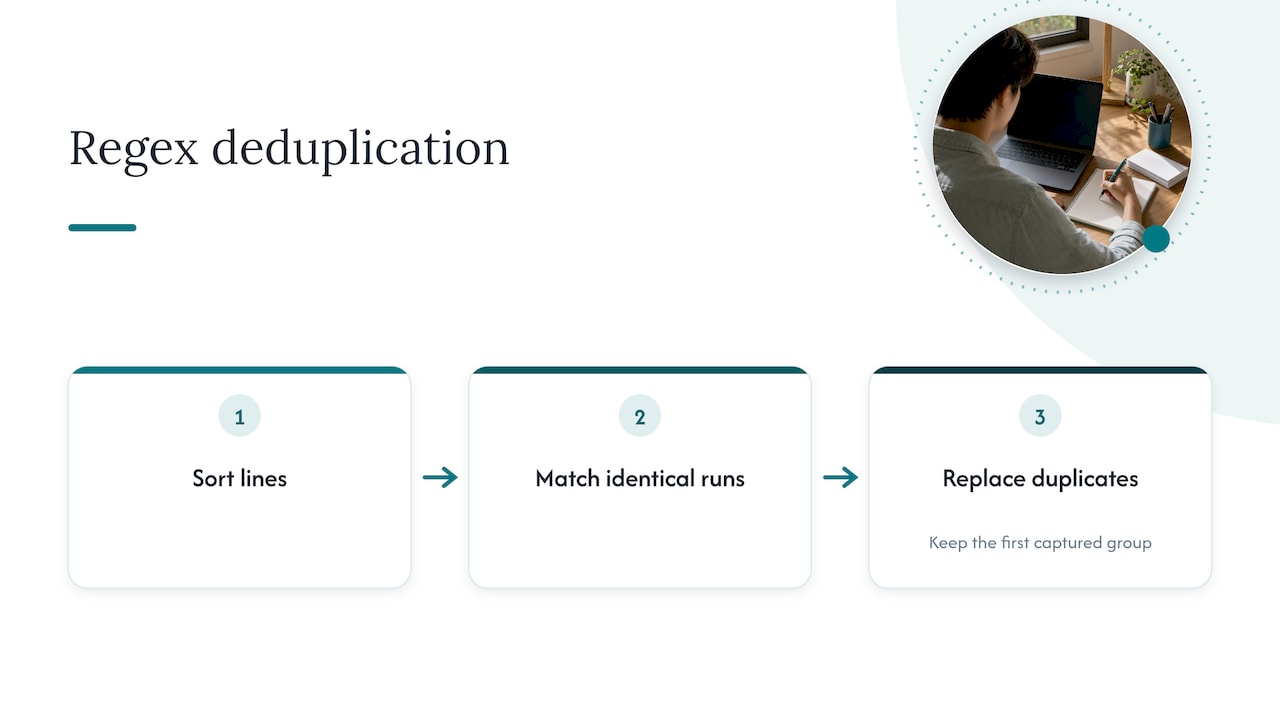
If you work in an editor that supports regex find-and-replace but not scripting, you can dedupe there. The O’Reilly Regular Expressions Cookbook presents this approach: sort the lines so duplicates are adjacent, then match runs of identical lines with the pattern ^(.*)(?:(?:\r? |\r)\1)+$ and replace each run with the first captured group. The book also warns that, in a program, the other approaches it shows are inefficient compared with tracking unique lines in a hash object, so treat the regex method as an editor workaround rather than a pipeline for big data.
If you want to see what a pattern does before applying it, the Regex Replace preview shows find-and-replace results, and the page on replacing with capture groups explains how $1 refers to the first group, which is the piece the dedupe replacement relies on. Not sure how to write a pattern for your own text? The Regex Generator builds one from examples.
Worked example: a keyword list
Suppose you export 6 lines from a spreadsheet of search terms:
standing desk
ergonomic chair
Standing Desk
standing desk
monitor arm
ergonomic chair
What each approach returns:
- Exact match, keep order (
awk '!seen[$0]++'): five lines. Only the secondergonomic chairis removed;Standing Deskand the version with a trailing space survive. - Trim spaces first, then exact match: four lines. The trailing-space version of
standing desknow matches and goes. - Trim, lowercase, then dedupe in order: three lines:
standing desk,ergonomic chair,monitor arm.
The jump from five to three is entirely the normalization from Step 1. That is the pattern to remember: most of the effort in deduplication is deciding what “the same” means.
Two meanings of “remove duplicates”
People use the phrase for two different jobs.
- Remove the extra copies. Every distinct line stays once. This is what
sort -uand the awk one-liner do. - Delete every line that has a repeat. Lines that appear more than once disappear entirely, leaving only lines that were unique from the start.
The uniq manual documents the variants for sorted input: uniq -u prints only unique lines, uniq -d prints one line from each group of duplicates, and uniq -D prints all duplicate lines, according to the man page. Those options are useful for auditing. Run sort file.txt | uniq -d to see which entries were repeated before you decide anything, or uniq -u on the sorted list to find the entries that appear exactly once.
Sorting text lines, and how it interacts with deduping
Sorting is often the second half of the task. A few behaviors catch people out, all documented in the sources above:
- By default
sortcompares lines character by character, so uppercase comes before lowercase and10sorts before9(per the caxton.app guide). -nsorts by numeric value,-ffolds case for ordering, and-rreverses the order.- Folding case when sorting does not make
-utreatAppleandappleas the same line, as noted earlier.
If your list has numbers at the start of each line, use -n or your “top 10” will be wrong. If you want a case-insensitive unique list, lowercase it first, then run sort -u.
Large files
For files in the gigabyte range, the choice between sorting and awk becomes a memory and speed question. The Unix Stack Exchange thread notes that sort uses external-sort optimizations while awk stores one copy of each distinct line in memory; the accepted answer there was for a file of about 2 GiB with roughly 100 duplicates of every line. Because the duplicates collapse to far fewer distinct lines, awk’s memory use stayed manageable for that case. If nearly every line is distinct, the memory footprint grows toward the size of the file.
For very large inputs, an Ask Ubuntu answer explains that GNU sort does not need memory equal to the file size: it works in batches with temporary files, and options such as --compress-program=gzip, --parallel=N and --merge (for already-sorted inputs) can help.
On speed, one author’s benchmark is a useful reference point, not a universal rule. In his test on 55,000 word-count files, an awk associative-array solution took 254 seconds, 58% faster than sort | uniq and 36% faster than sort -u. Your hardware and data will change the numbers, so use it as a sign that awk is worth trying when order does not matter and time does.

Doing this in the browser
For everyday lists, the command line is not required. GizmoBench’s text tools run in the browser with no account or installation, and file processing happens locally rather than on a server, which matters when your list holds customer emails or internal names. For a dedupe workflow, the pages most relevant today are the whitespace cleaner for trimming the invisible differences that defeat matching, the line-break cleaner for reshaping a list, and the regex Replace preview for pattern-based cleanup before you remove repeats. The text file splitter can break a very large list into manageable pieces by line while keeping the original endings. Browse the rest of the collection from the GizmoBench home page.
A short checklist
- Copy the original list.
- Trim whitespace and fix line breaks.
- Decide on case sensitivity, and lowercase the list if case does not matter.
- Decide whether order matters: awk to keep it,
sort -uto alphabetize. - Write to a new file.
- Compare line counts before and after, and use
uniq -don a sorted copy if you want to see what was repeated.
FAQ
How do I remove duplicate lines but keep the original order?
Use awk '!seen[$0]++' file.txt > output.txt. It prints each line only the first time it appears, so the first occurrence is kept and the order of first appearances is preserved. sort -u would give you the same set of lines but alphabetized.
Why does uniq leave duplicates in my file?
uniq only compares neighboring lines, so repeats that are separated by other lines are not detected. Sort the file first (sort file.txt | uniq) or use sort -u. Also check for trailing spaces and capitalization differences, because lines must match exactly.
How do I remove duplicates ignoring case?
Lowercase the whole list first, then dedupe, because adding -f to sort only affects ordering. In PowerShell, Sort-Object -Unique is case-insensitive by default, while Select-Object -Unique is case-sensitive unless you use the -CaseInsensitive switch in PowerShell 7.4 or later.
How do I delete every line that appears more than once, not just the extra copies?
Sort the file and use uniq -u, which prints only lines that occur once. To see the repeated lines instead, use uniq -d for one line per duplicated group or uniq -D for every duplicated line.
Sources
- uniq(1) Linux manual page
- PowerShell about_Case-Sensitivity, Microsoft Learn
- Remove Duplicate Lines, Regular Expressions Cookbook (O’Reilly)
- Sort Lines and Remove Duplicate Lines in a Text File on a Mac, caxton.app
- Deduplicate a list while preserving original order, jbranchaud TIL
- Sort and remove duplicates, John D. Cook
- sort: Sort Lines of Text, TheLinuxBook
- How to remove duplicate lines inside a text file, Unix Stack Exchange
- How to find duplicate lines in very large text files, Ask Ubuntu