 Tagbook
Cattle records for iPhone
Every cow, calf and shot. Kept.
Calvings, shots, moves, weights and preg checks for the whole herd, each one signed with who and when. Works in the pasture with no signal. Shared with your family and your hands.
Coming soon to iPhone
For iPhone · 7 days free with Pro · No account to make
From the maker of Gizmobench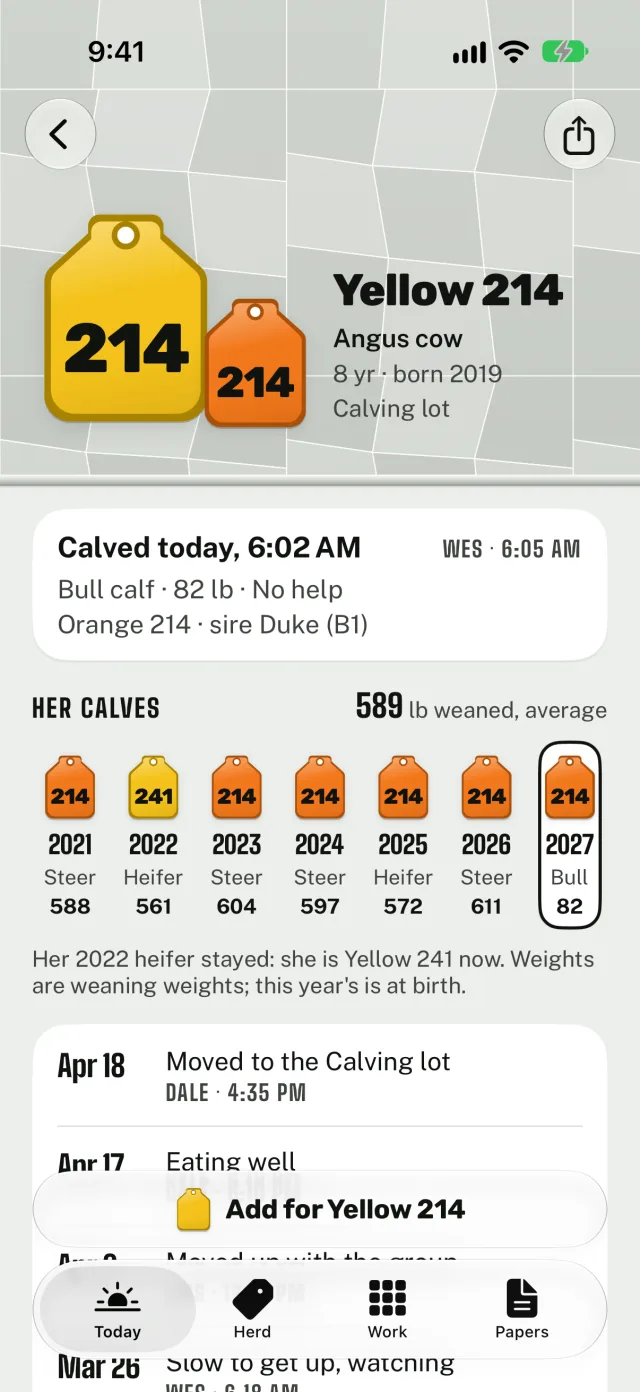
One savefor the whole pen
Every yeareach calf on its mother’s page
No signaland no entry lost
01 · Today
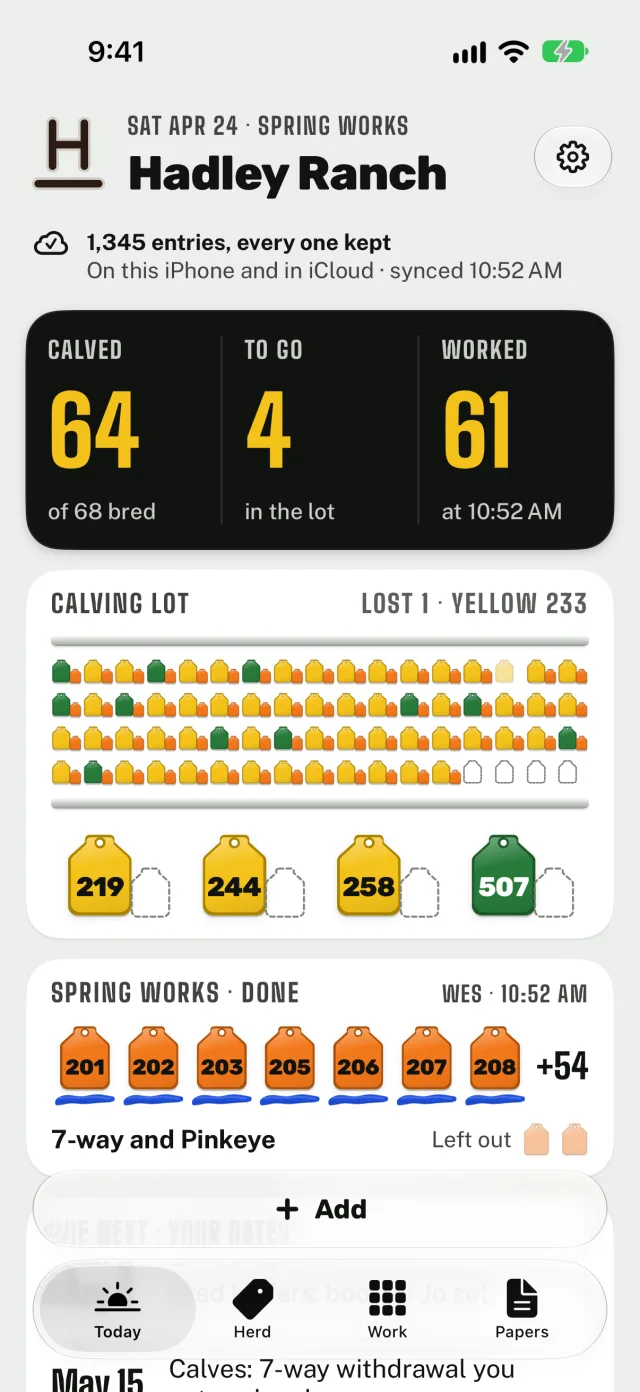
The whole ranch at a glance.
Today reads like the sale barn board: calved, to go and worked. The calving lot is drawn as tags, so the cows still to calve stand out, and the spring works you just saved sit right under it with the name and the time.
02 · Work a group
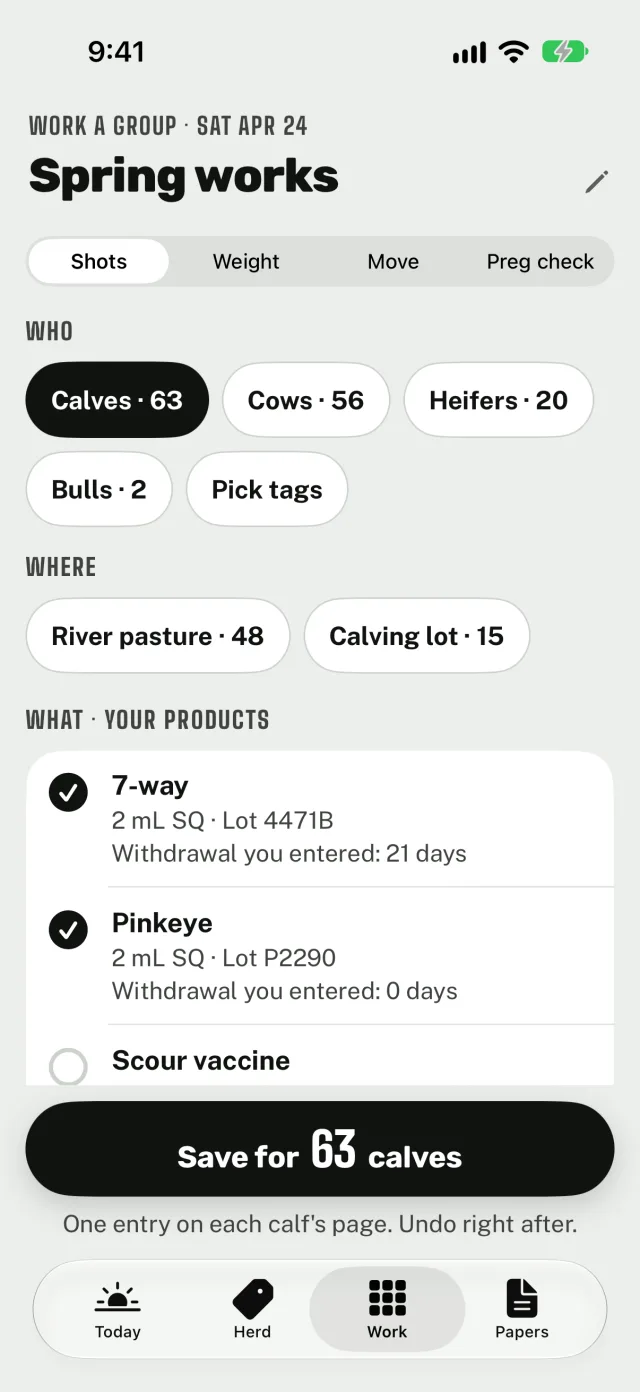
The whole pen worked in one save.
Pick the group by class, pasture or tag, check your own products, and tap any calf to leave it out. Save for 63 calves puts one entry on each calf’s page, and Undo is right there after. Weigh at the chute tag by tag.
03 · Papers
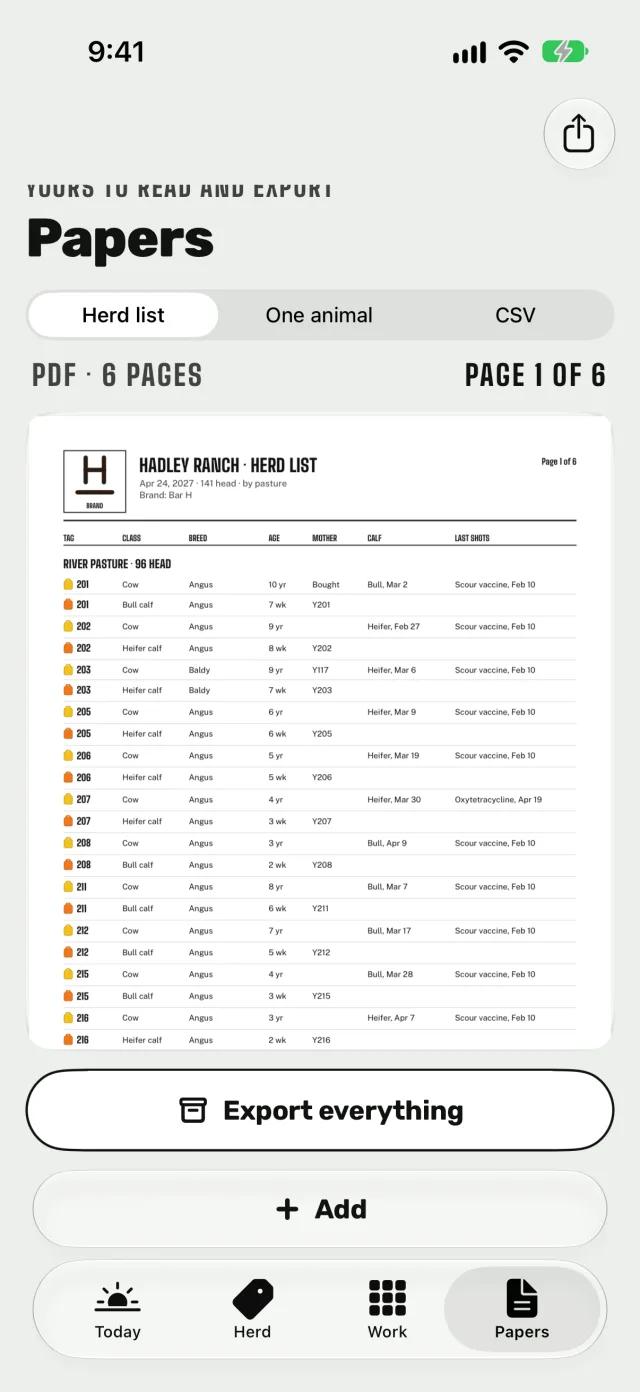
Papers for the buyer, the vet and the office.
A herd list PDF by pasture with your brand on top, one animal’s whole history, and a CSV of everything for Excel, Numbers or Google Sheets. Export everything puts it all in one zip, with or without Tagbook Pro.
The ranch, shared
Everyone who works the cattle, on the same page.
The owner invites family and hands through iCloud. Everyone records on their own iPhone, with no account to make, and every entry is signed with who wrote it and when.
- Only the owner adds or removes people.
- People on the ranch are covered by the owner’s Tagbook Pro.
- Change an entry and the old one stays in its history.
- Calved today, 6:02 AMWes · 6:05 AM
- 7-way and PinkeyeWes · 10:52 AM
- Moved to the Calving lotDale · 4:35 PM
- Moved up with the groupLuis · 1:14 PM
Records safety
Never lose an entry.
Every save goes to your iPhone first, then to iCloud when there’s signal. The records are yours, and so are the numbers in them.
- On your iPhone and in iCloud. The ranch lives on your iPhone and in its own iCloud. We can’t read it.
- Your doses and days. Products, doses and withdrawal days are the ones you enter. Tagbook only counts the days you type.
- No account, no ads. Nothing to sign up for, and no ads inside the app.
- Yours to take. PDFs, CSV files and one zip of everything, any time.
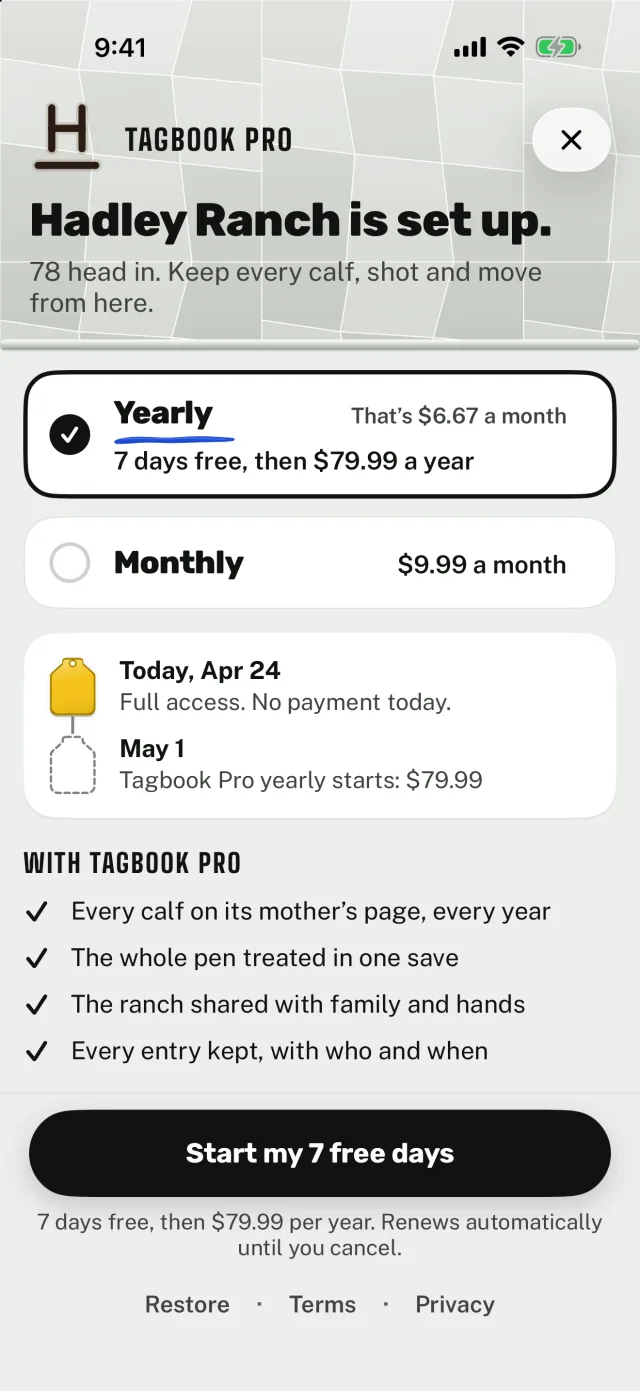
Tagbook Pro
One price, the whole ranch.
$79.99 a year, 7 days free first
$9.99 a month
- Every calf on its mother’s page, every year
- The whole pen treated in one save
- The ranch shared with family and hands
- Every entry kept, with who and when
Prices in the United States. Yearly starts with a 7 day free trial for eligible new subscribers, then $79.99 a year; monthly is $9.99 a month with no trial. Payment is charged to your Apple Account, and Tagbook Pro renews automatically until you cancel at least 24 hours before the free trial ends or the period renews. Manage or cancel in your App Store account settings. Prices vary by country and are shown in the app before you buy. Without Tagbook Pro, every record stays yours: read and export any time. Read the terms.
How do I share the ranch with family and hands?
The owner opens Settings › People and taps Invite. Apple’s iCloud sharing sends the link. The other person installs Tagbook, opens the link while signed in to iCloud, and the ranch opens on their iPhone. Everyone records on their own iPhone, and every entry is signed with who wrote it and when. Only the owner adds or removes people.
Do the people on my ranch need Tagbook Pro?
No. People on a shared ranch are covered by the owner’s Tagbook Pro. Their own Tagbook Pro never unlocks someone else’s ranch. Family Sharing is off, because the ranch is shared through iCloud instead.
What happens if Tagbook Pro ends?
Every record stays yours: read and export any time. New entries need Tagbook Pro. Nothing is deleted. On a shared ranch, everyone sees the ranch view only until the owner renews, and entries saved while Pro was active still sync.
I got a new iPhone. How do I get my ranch back?
Install Tagbook, sign in to the same Apple Account, and tap Restore under “Already use Tagbook?” on the first screen. Tagbook looks for your ranch in iCloud, and if you had Tagbook Pro, it comes back too. On a slow signal this takes a minute. Restore purchases is also in Settings › Tagbook Pro.
How do I export my records?
Papers makes the herd list PDF, one animal’s history PDF, and two CSV files (animals.csv and entries.csv) that open in Excel, Numbers and Google Sheets. Export everything, at the foot of Papers and in Settings › Records safety, makes one zip with the herd list, every animal’s history, both CSV files and the photos. Export works with or without Tagbook Pro.
Does it work with no signal?
Yes. Every save goes to your iPhone first, so a pasture with no signal never loses an entry. It syncs to iCloud when you’re back in range.
Does Tagbook suggest doses or withdrawal times?
No. Products, doses, lots and withdrawal days are the ones you enter. Tagbook only counts the days you type, and it doesn’t give veterinary advice.
Can I bring my herd in from a spreadsheet?
Yes. During setup, or later from Herd, pick a CSV file. Tagbook matches your columns, shows the first rows, skips any tag already on the ranch, and lets you remove the import for 24 hours.
How do I cancel?
In Tagbook, Settings › Tagbook Pro › Manage subscription. Or on your iPhone, Settings › [your name] › Subscriptions › Tagbook. Your records stay readable and exportable after Pro ends.
Refunds:
reportaproblem.apple.com (Apple handles all billing).
Cattle Records: Tagbook
Your herd, kept.
Coming soon to iPhone
Tagbook keeps the records you enter. It doesn’t give veterinary advice.