 Job Jacket
Job photos and work orders for iPhone
Every job, first photo to signed.
Photos land in the job you’re standing at. The work order goes out with your name on it before you leave the driveway.
Coming soon to iPhone
For iPhone · 7 days free · No signup, no sales calls
From the maker of Gizmobench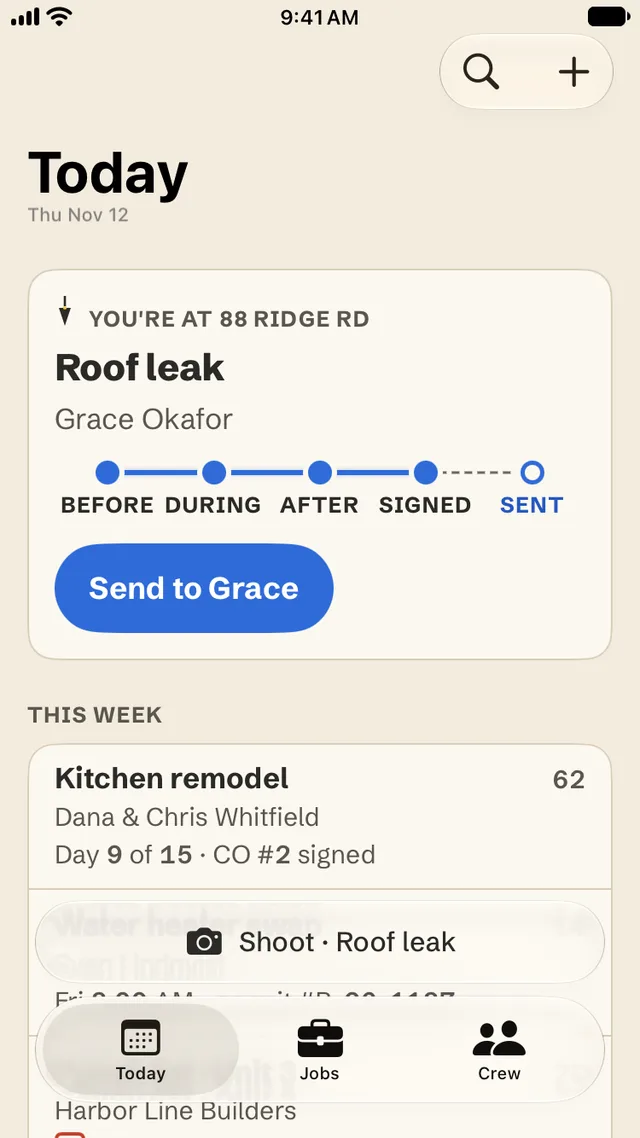
Roof leak · 88 Ridge Rd
One afternoon, snapped on a line.
- 1:05 PMBefore
- 1:40–3:20 PMDuring
- 3:41 PMAfter
- 3:52 PMSigned
- 3:58 PMSent
Before · During
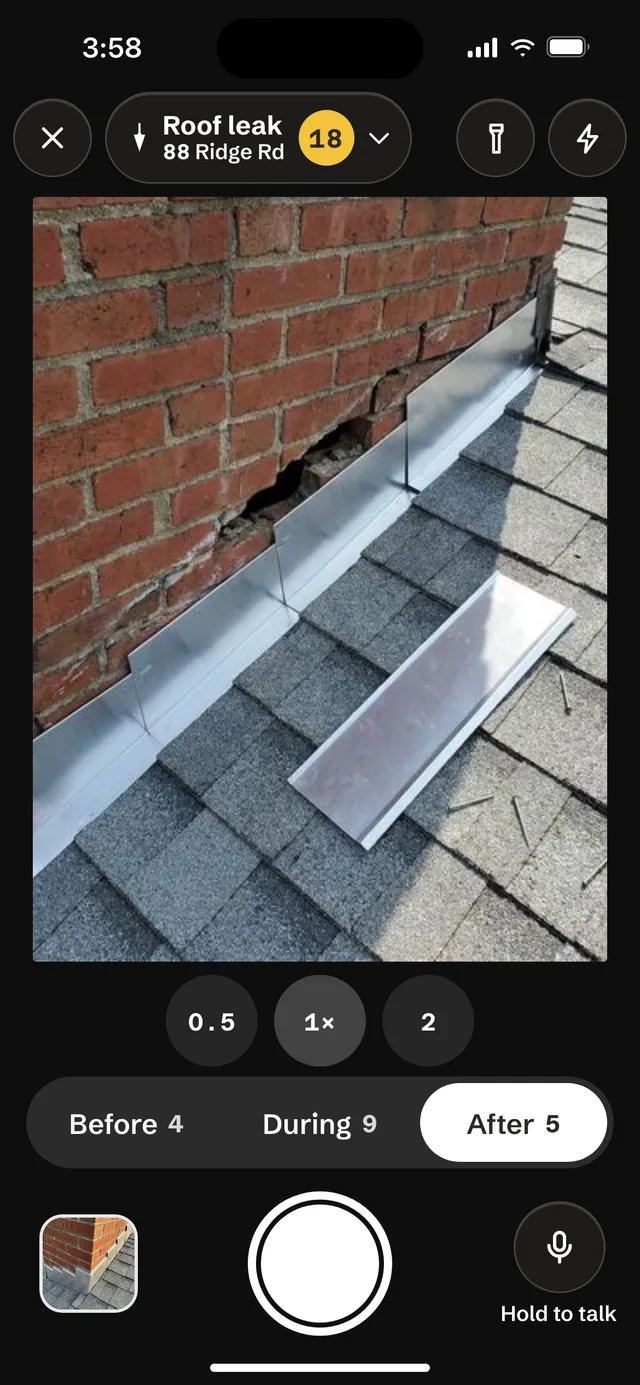
Shoot. It files itself.
Open the camera at the job and every photo lands in it, as before, during or after, with the time and place this iPhone recorded. The buttons are big enough for gloves, and every photo is saved on your iPhone first, so a basement with no signal never loses a shot.
Hold to talk for a voice note. It turns into text on your iPhone, and the lines you keep become the scope of work.
After
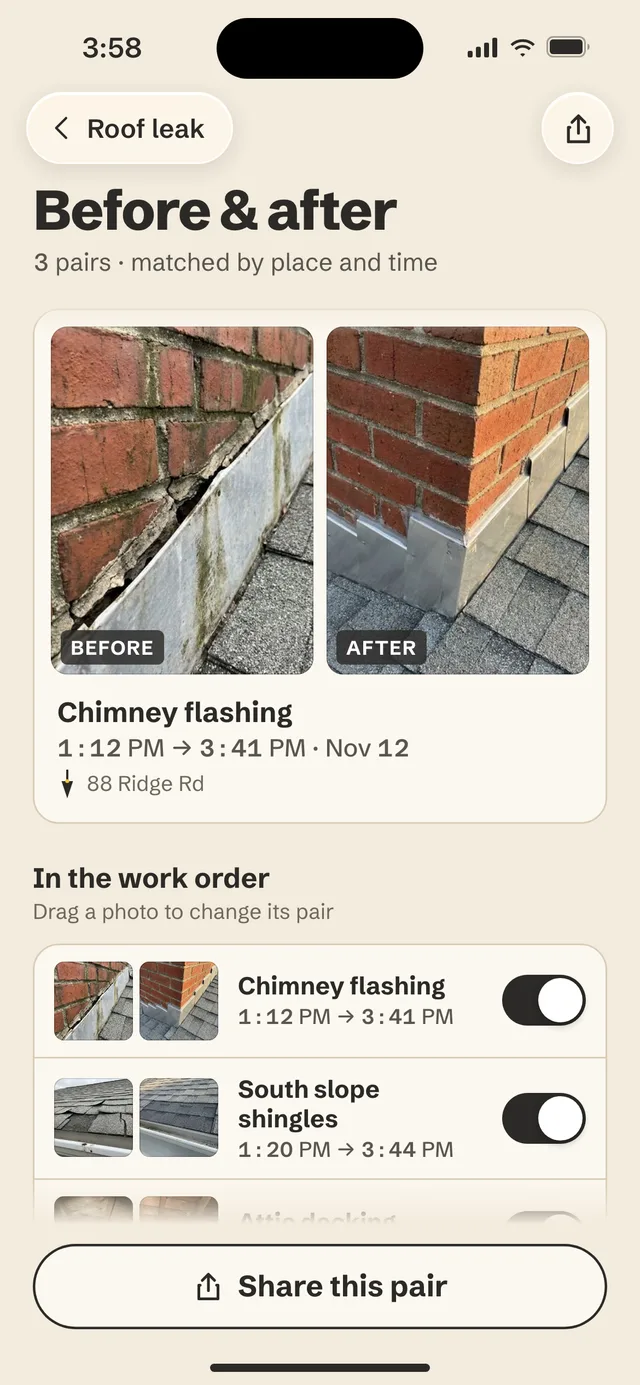
Before and after, already paired.
Job Jacket matches your before and after photos by place and time, so the pairs are ready when the work is. Pick the ones that go in the work order, or share a pair with the client. A shared copy leaves the location out.
Signed
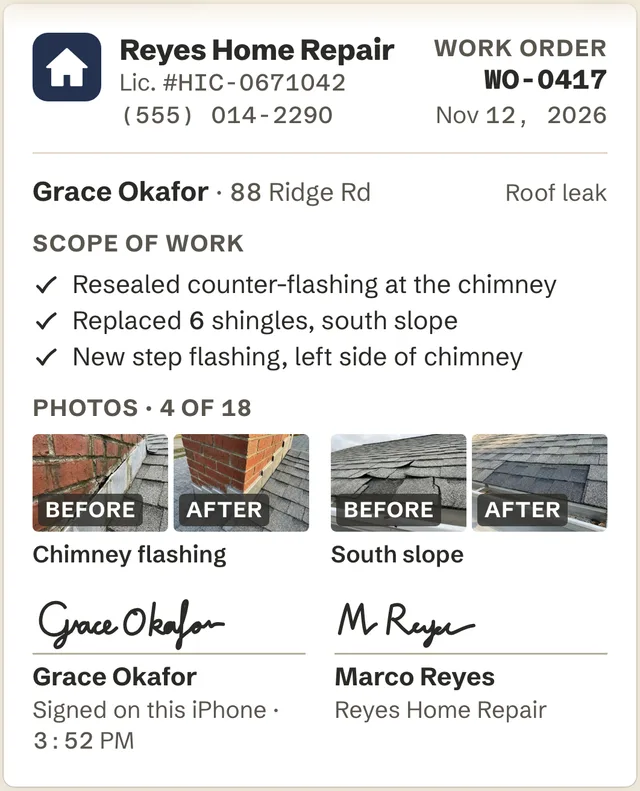
Signed on this iPhone, with your name on it.
The work order is a PDF made on your iPhone: your business and license number, the scope of work, the photos in pairs, and two signatures, your client’s and yours. A change order goes out the same way.
Sent
Sent before you leave the driveway.
Send it by Mail or Messages from the job. Turn on the leaving reminder and Job Jacket tells you when you’ve driven off with a signed work order that isn’t sent. It checks only whether you’ve left a job. It never records where you go.
3:58 PMWO-0417 sent to Grace Okafor
Crew of 10
Bring your crew in.
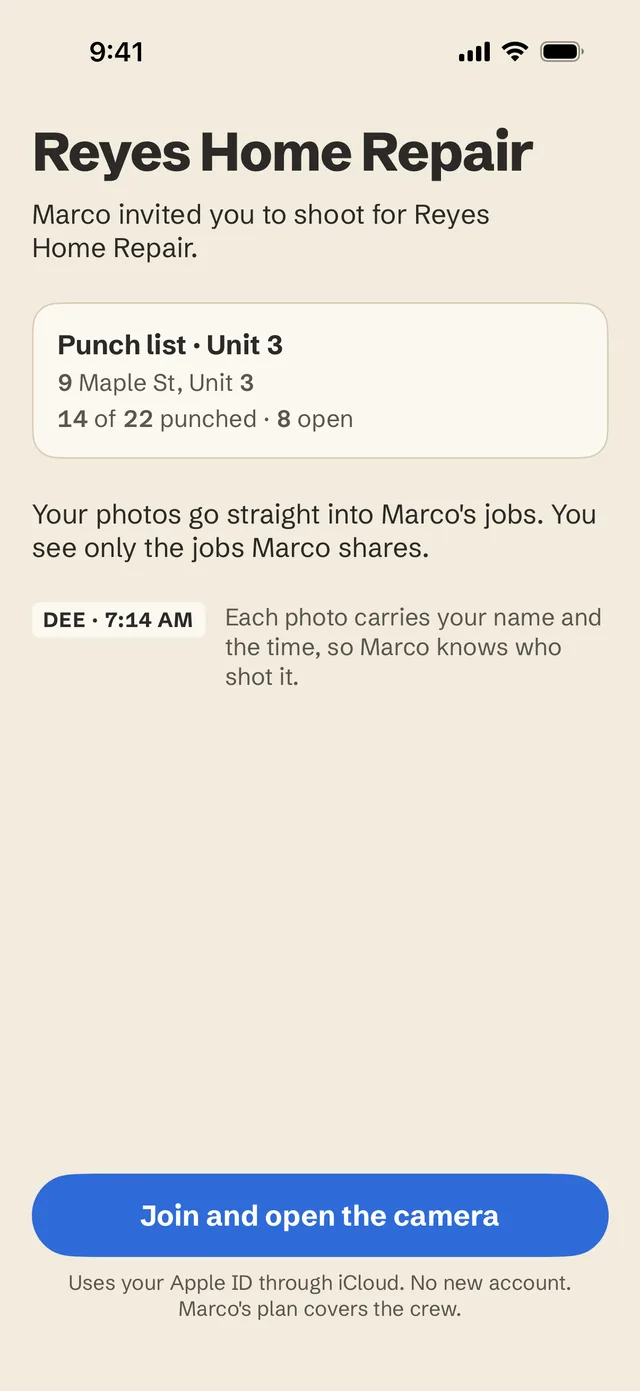
Share jobs with up to 9 more people. One price for everyone. They open your link in Messages and sign in with their Apple ID. No new account. iPhone only for now.
DEE · 7:14 AMEach photo carries their name and the time, so you know who shot it.
- You share one job at a time, and they see only the jobs you share.
- Only you add people or take them off.
- Your crew never pays. Your Crew of 10 plan covers them.
Your records
Yours, with or without a plan.
- Stays with you. Your photos stay on your iPhone and in your iCloud. We can’t read them.
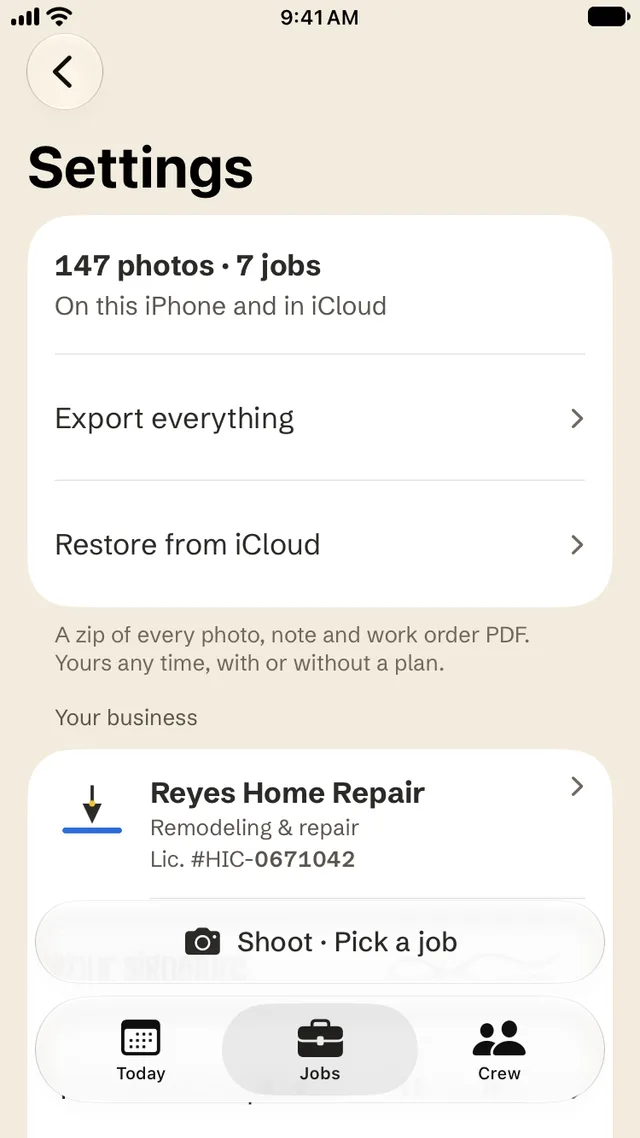
- Export everything. A zip of every photo, note and work order PDF. Yours any time, with or without a plan.
- Nothing deleted. When a plan ends, every photo and PDF stays yours: read and export any time.
- No signup, no sales calls. No account to make, and no ads in the app.
Plans
Pick your plan.
- Solo · yearly$99.99 a yearThat’s $8.34 a month · 7 days free first
- Crew of 10 · yearly$199.99 a yearYou and up to 9 more, one price
- Monthly$14.99 a monthMonth to month, no trial
Prices in the United States. Solo yearly and Crew of 10 yearly start with a 7 day free trial for eligible new subscribers, once across plans, then $99.99 or $199.99 a year; Monthly is $14.99 a month with no trial. Payment is charged to your Apple Account, and your plan renews automatically until you cancel at least 24 hours before the free trial ends or the period renews. Manage or cancel in your App Store account settings. Prices vary by country and are shown in the app before you buy. Without a plan, every photo and PDF stays yours: read and export any time. Read the terms.
How do I bring my crew onto a job?
On the Crew of 10 plan, open Crew and tap Invite from Contacts, then pick the job. Job Jacket sends your link in Messages. They open your link in Messages and sign in with their Apple ID. No new account. iPhone only for now. You share one job at a time, they see only the jobs you share, and each photo carries their name and the time.
Does my crew need their own plan?
No. Everyone on your shared jobs is covered by your Crew of 10 plan and never pays. One price covers you and up to 9 more. Their own plan never unlocks someone else’s job. Family Sharing is off, because jobs are shared through iCloud instead.
What happens when my plan ends?
Every photo and PDF stays yours: read and export any time. New photos and work orders need a plan. Nothing is deleted, and a signed work order can still be sent. The same goes after the 7 free days if you don’t pick a plan. On shared jobs, your crew sees them view only until you renew.
I got a new iPhone. How do I get my jobs back?
Install Job Jacket, sign in to the same Apple Account, and tap Restore at the top of the first screen. Job Jacket looks for your business in iCloud, and your plan comes back with it. On a slow signal this takes a minute. Restore from iCloud and Restore purchases are also in Settings.
How do I get everything out?
Settings › Export everything makes one zip: a folder for each job with its photos, marked up copies, work order PDFs and notes, plus a jobs.csv list for Excel, Numbers or Google Sheets. A zip of every photo, note and work order PDF. Yours any time, with or without a plan.
How do I erase everything?
Settings › Erase all jobs. It erases every job on this iPhone and in iCloud, and you type ERASE to confirm. Before you do, it shows what goes, and who on your crew loses a shared job. Jobs other owners shared with you stay. Erase needs a signal so iCloud deletes its copy too. This can’t be undone, so Export everything first if you want a copy.
Does it work with no signal?
Yes. Every photo is saved on your iPhone first, before anything else happens, so a basement or a rural job never loses a shot. The job shows what’s still waiting for iCloud, and it goes up when you’re back in range.
How do I cancel?
In Job Jacket, Settings › Manage subscription. Or on your iPhone, Settings › [your name] › Subscriptions › Job Jacket. Your photos and PDFs stay readable and exportable after your plan ends.
How do I get a refund?
reportaproblem.apple.com (Apple handles all billing).
Work Order Photos: Job Jacket
First photo to signed.
Coming soon to iPhone
Job Jacket keeps the photos, notes and work orders you make. Times and places are what this iPhone recorded.