One car, fully looked after.
- Care plan and reminders by date or mileage
- Service, repair and fuel log with MPG
- Glovebox documents and renewal reminders
- Odometer and document scans
- 5 receipt smart fills
- Manual NHTSA recall checks
 Ignition
Car maintenance log for iPhone
Oil changes, repairs, fill-ups and paperwork in one tidy service history, with reminders by date or by mileage. Snap a receipt, log the job, and let the care plan do the remembering.
Download on the App StoreFor iPhone · Free for one car · No account
From the maker of Gizmobench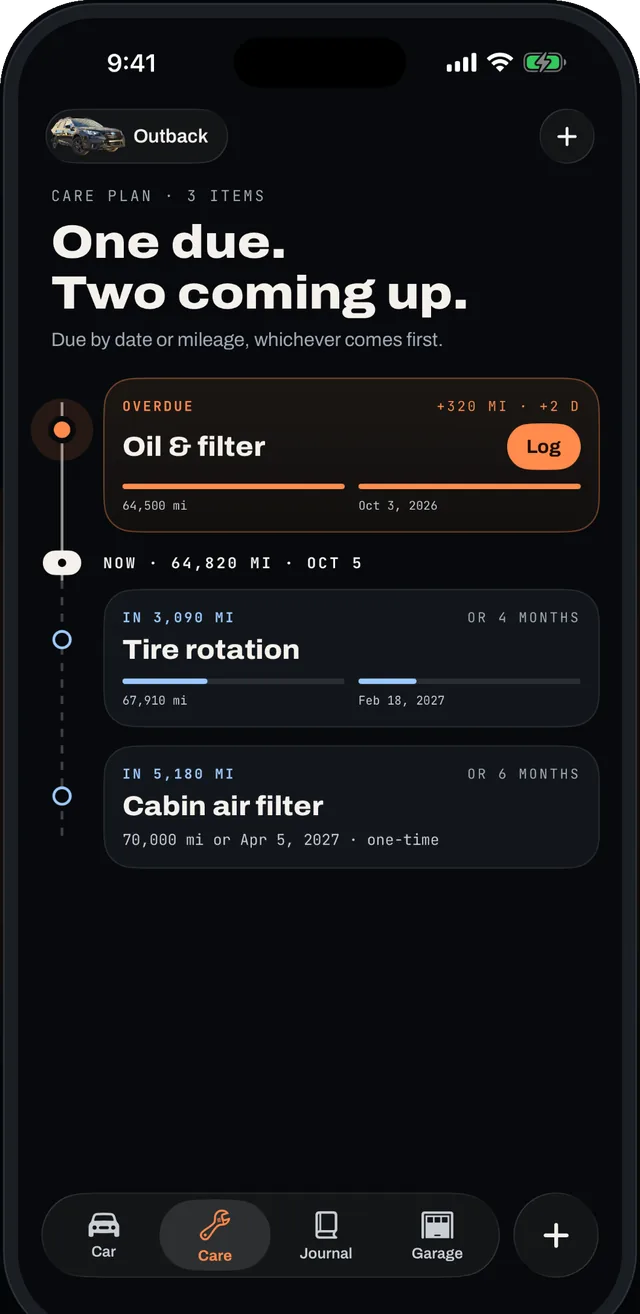
01 / A care plan that knows your car
Tell Ignition roughly when each job was last done and it works out what is next. Set every service to come due by date, by mileage, or whichever arrives first, then get a reminder before an oil change, tire rotation or inspection slips past.
02 / Every service, upgrade and fill-up
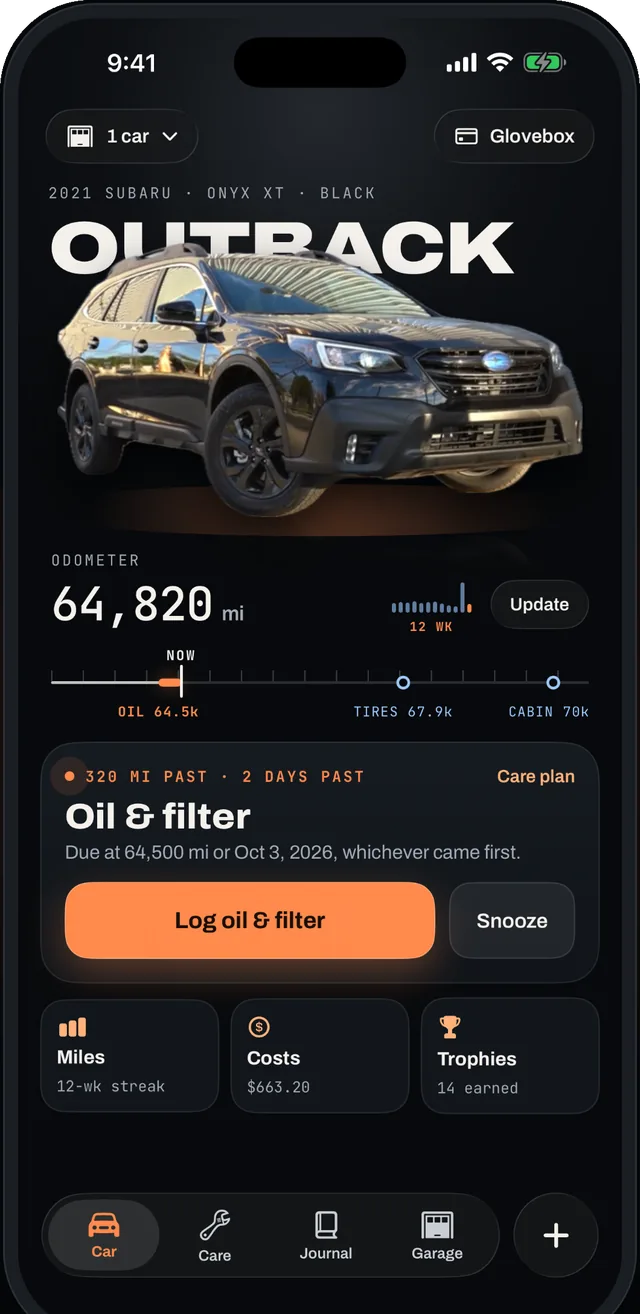
Record maintenance, repairs, mods and parts with mileage, cost and notes. Scan a receipt and Ignition fills in the date, odometer and total, and keeps the photo with the job it belongs to.
Text is read on your iPhone with Apple’s Vision framework. Check the filled-in numbers before you save.
03 / Fuel economy and real costs
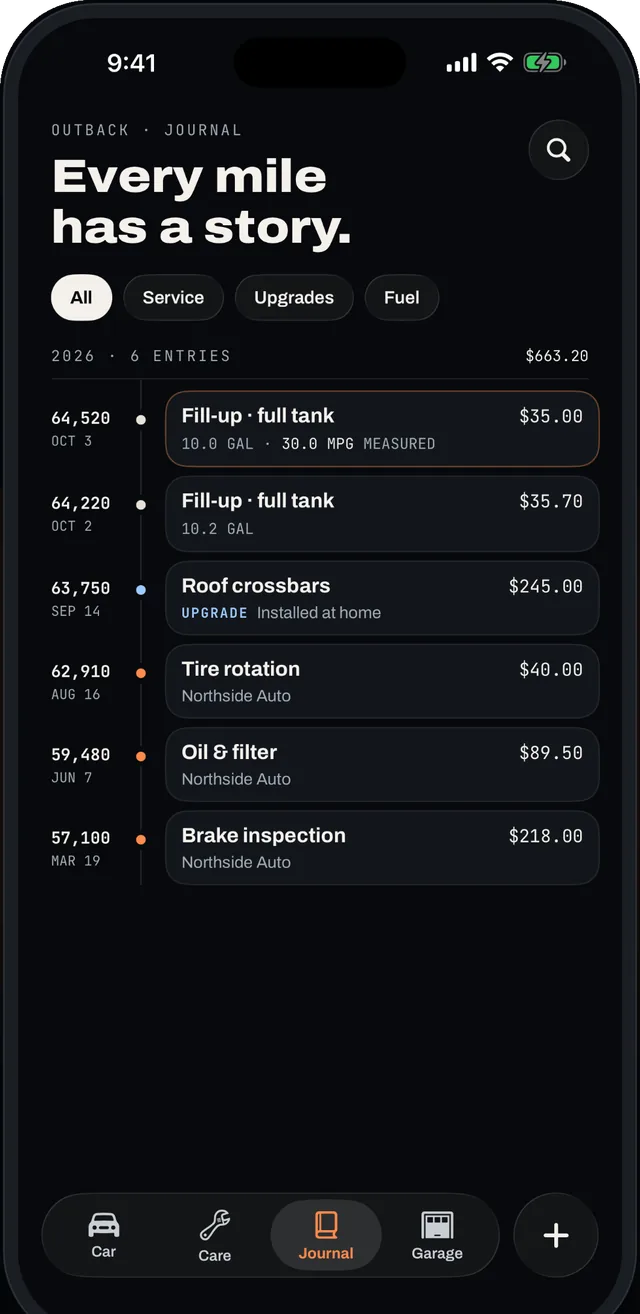
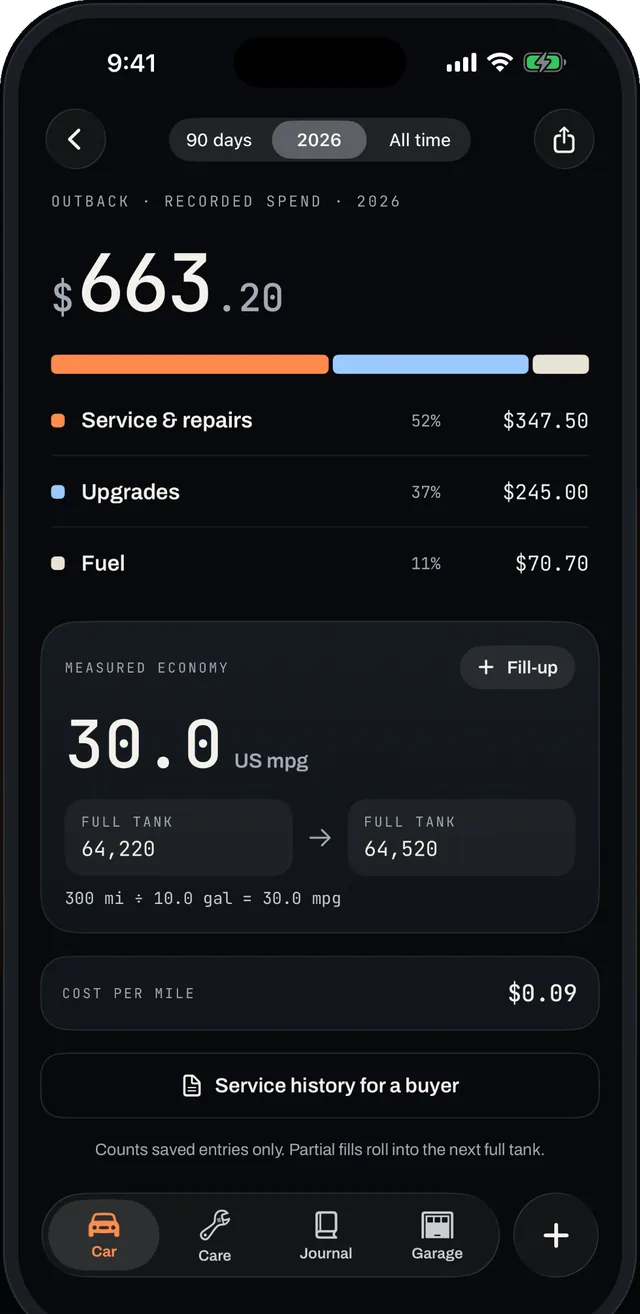
Log fill-ups and see MPG calculated between full tanks. Watch fuel and service spending side by side, and find out what your car really costs to own.
04 / The rest of car ownership
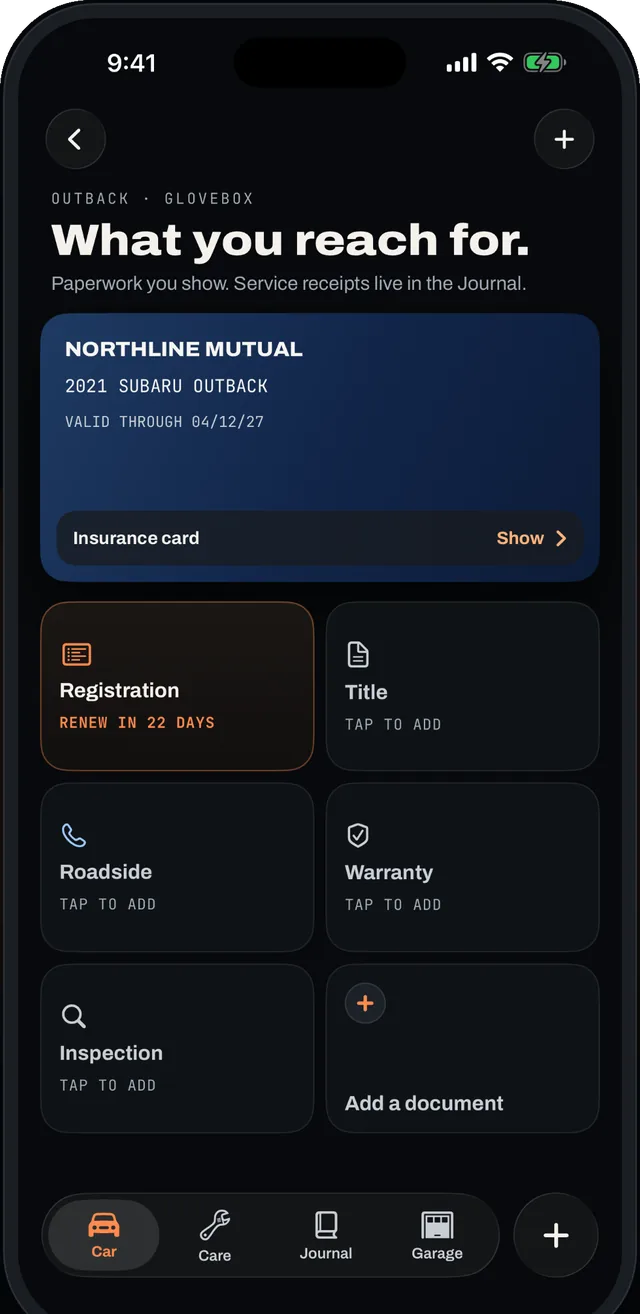
Keep insurance cards, registration and title photos in one place, with renewal reminders before they lapse.
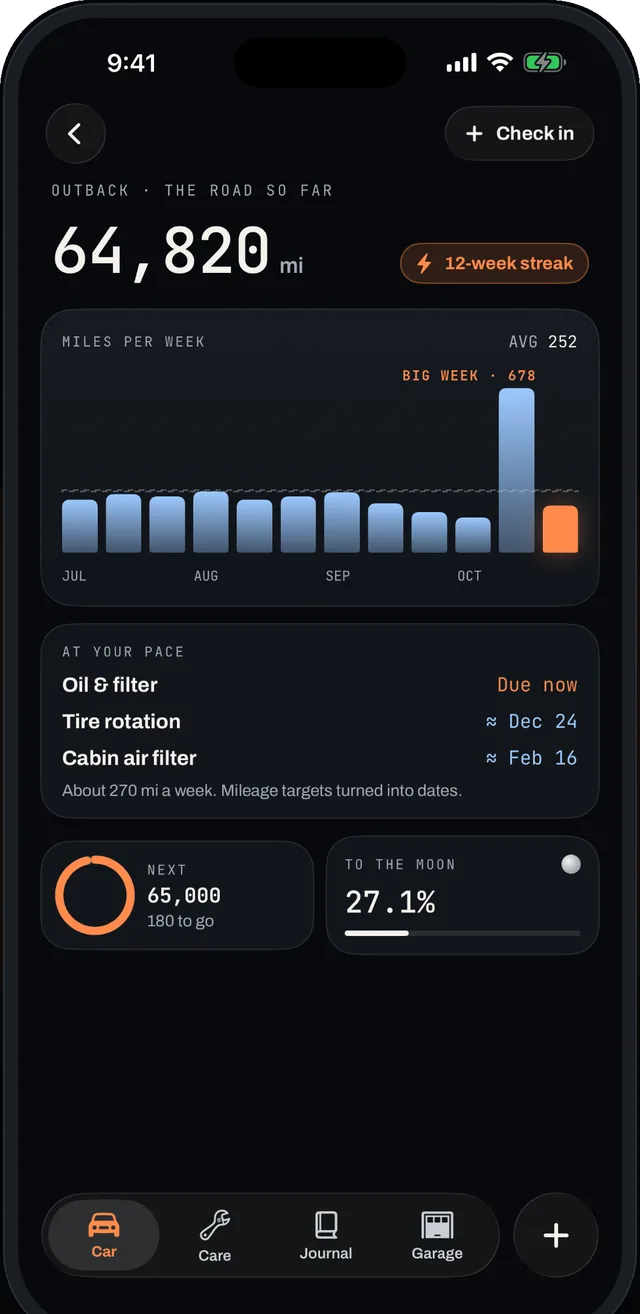
Weekly check-ins keep mileage due dates accurate and build a check-in streak.
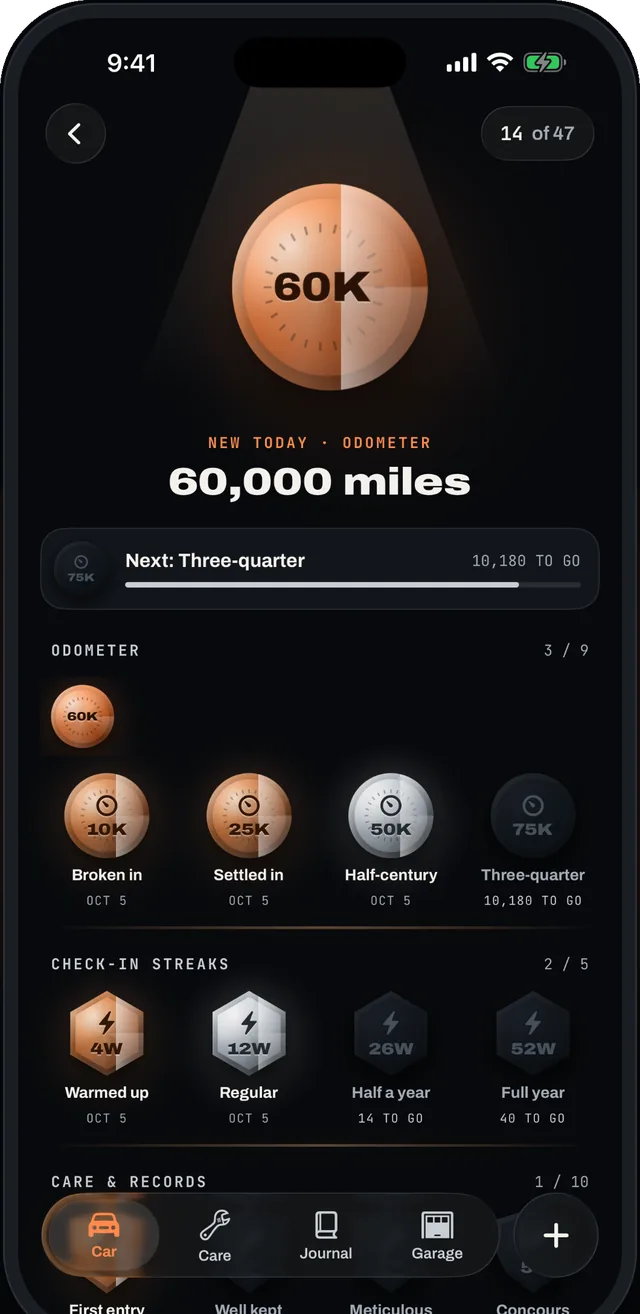
Milestones from your first entry to 100,000 miles, as the miles add up.
App Store screenshots of Ignition with an example car.
05 / Safety recalls
Look up open recalls for your car’s make, model and year in the U.S. National Highway Traffic Safety Administration database, free. See the risk and the remedy. With Pro, Ignition checks again every few days when iOS allows and tells you when it finds a new one.
Recall data comes from NHTSA. Confirm any recall and its repair with your dealer.
Free for one car
$3.99 a month or $19.99 a year in the U.S., each with a 7-day free trial for eligible new subscribers.
Prices vary by region; Apple’s purchase sheet shows the exact price before you buy. Subscriptions renew automatically until canceled in your Apple Account settings. Read the terms.
One car with its care plan, service and fuel log, reminders, Glovebox documents, weekly odometer check-ins, trophies and manual NHTSA recall checks. Receipt smart fill works 5 times on the free plan; dashboard and document scans stay free.
Unlimited cars, the manufacturer’s maintenance schedule, automatic recall checks, Home Screen and Lock Screen widgets, iCloud sync, unlimited receipt smart fills, a service history PDF and cost breakdowns by category and per mile.
No. There is no sign-in. Your records live on your iPhone, and with Pro they also sync through your own private iCloud database.
Yes. Receipt, odometer and document text is read on your iPhone with Apple’s Vision and VisionKit frameworks. Photos stay with your records on the device, or in your private iCloud with Pro.
Ignition asks the U.S. NHTSA recall service about your car’s make, model and year. Pro checks again every few days when iOS allows background refresh, and notifies you when a check finds a new recall. Always confirm a recall with your dealer.
Everything you logged stays on your iPhone and stays yours. Your first car keeps working on the free plan. Extra cars are parked: their history stays readable, while logging and reminders for them return with Pro.
Oil change due? Ignition knows.
Ignition for iPhone