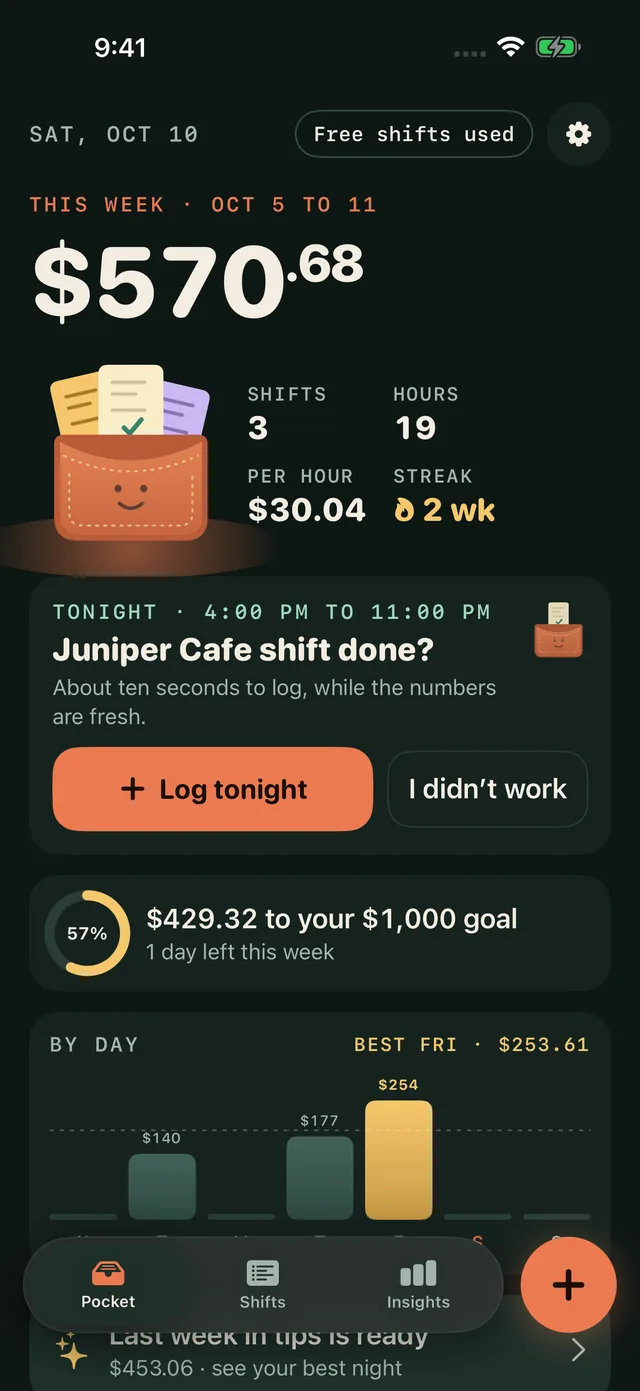
Record cash tips, card tips, tip-outs, wages and hours in seconds after a shift. See your take-home, your hourly and how the week is adding up, without a spreadsheet.
Cash and card, kept separateTip-outs and wages includedStays on your phone
01 / Ten seconds after close
Pocket the night before you forget it.
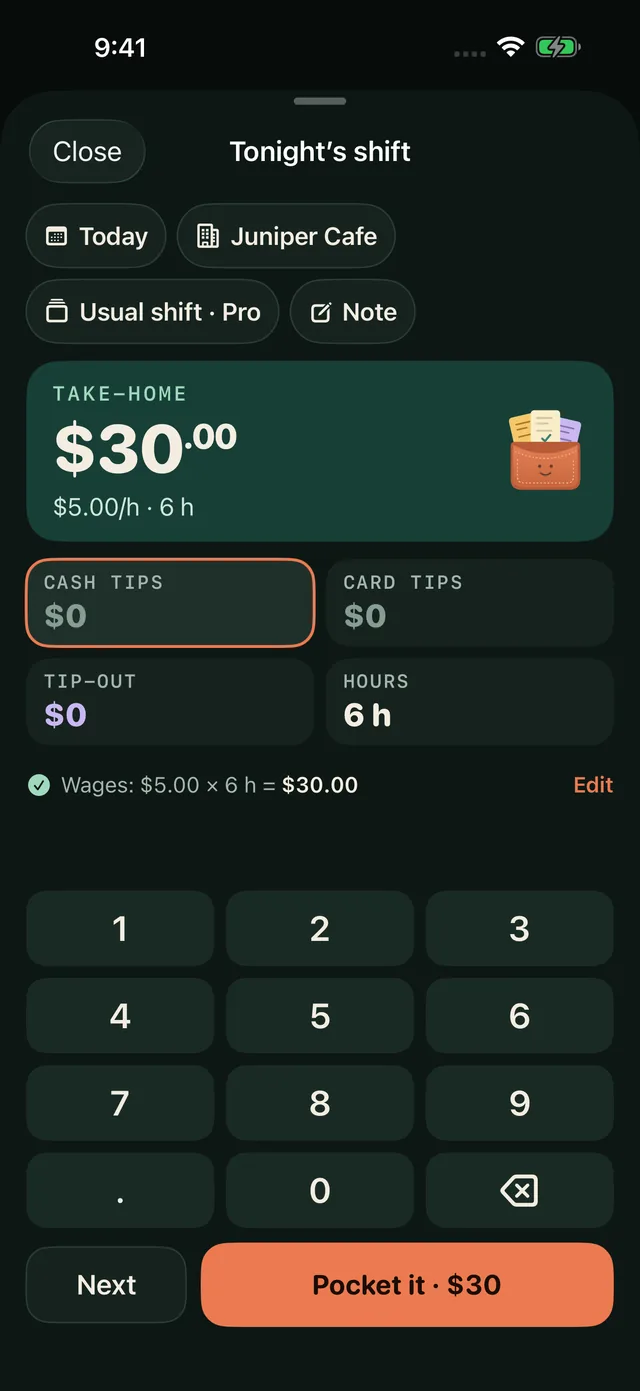
Tap in cash tips, card tips and any tip-out. Wages fill in from your hourly rate. Unfinished entries wait as drafts, and a recent change can be undone.
Cash and card tips recorded separately
Tip-outs deducted, wages included
Edit past shifts any time
02 / See the work add up
Your week, in real numbers.
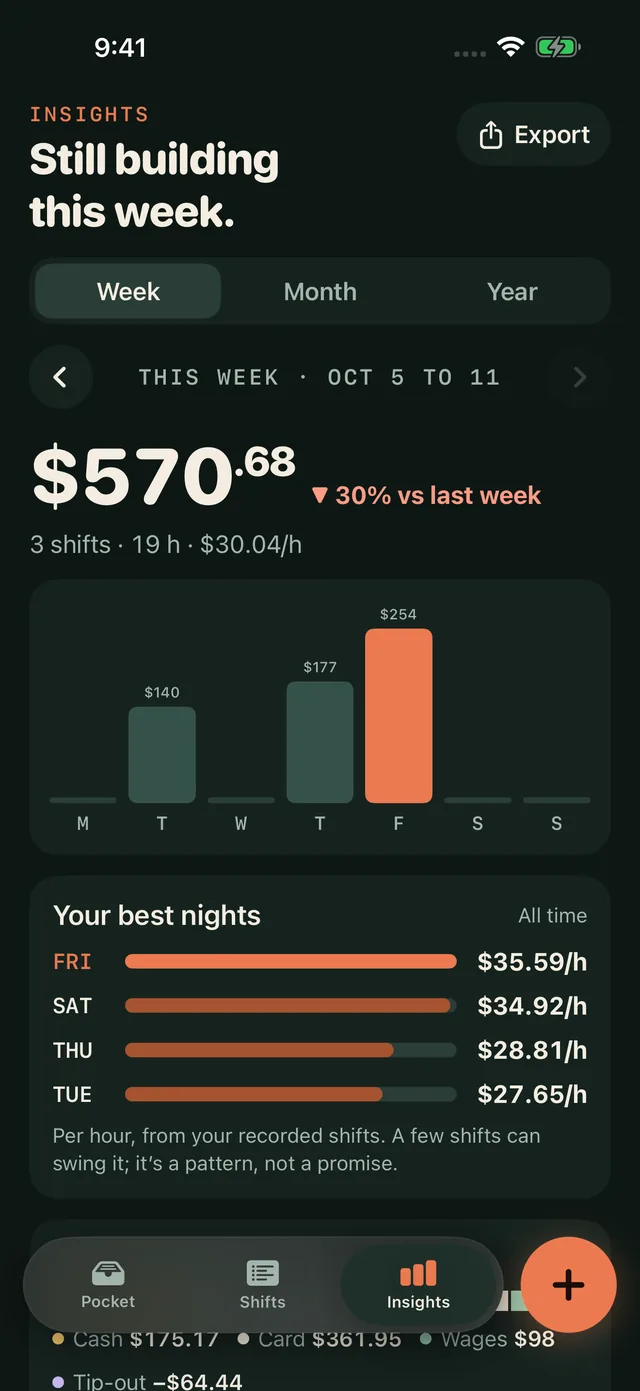
Weekly and monthly earnings, compared with the period before. Filter by workplace, set your own weekly goal and see your best night per hour. Pro compares every weekday and every year.
Averages come from your own entries. A few shifts can swing them: a pattern, not a promise.
03 / A history you can trust
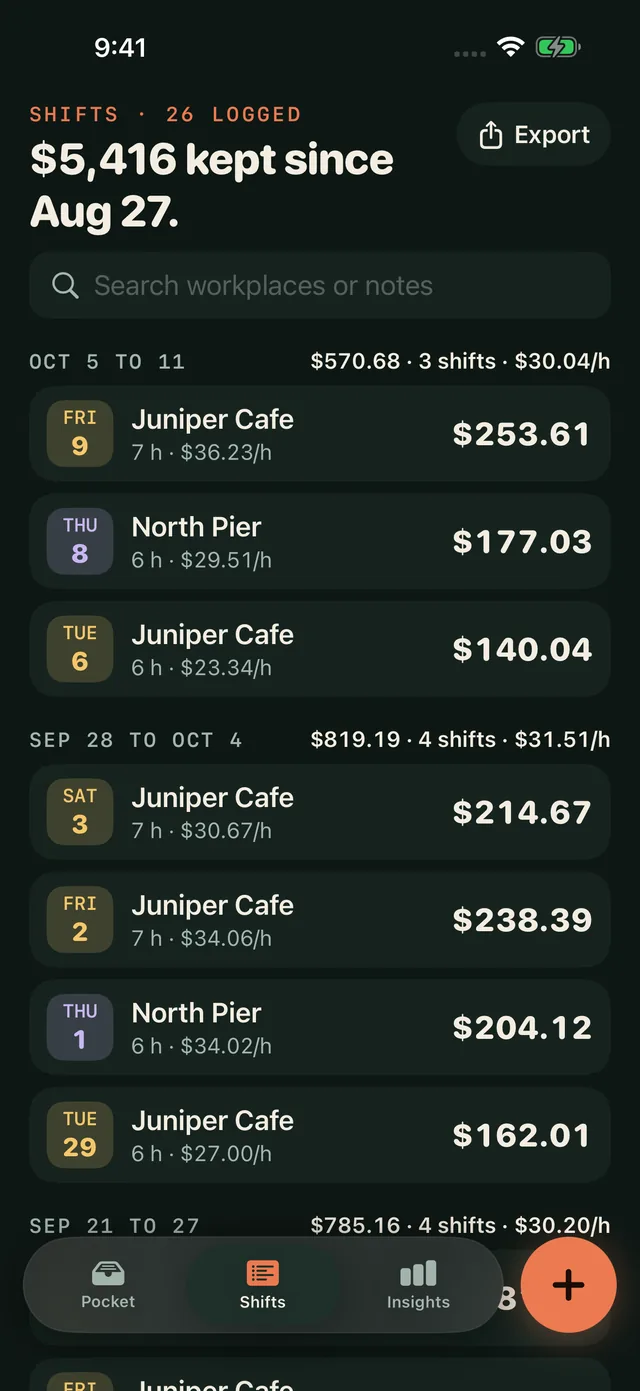
Every shift, kept and searchable.
Find any shift
Browse by week or search your workplaces and notes.
A nudge after close
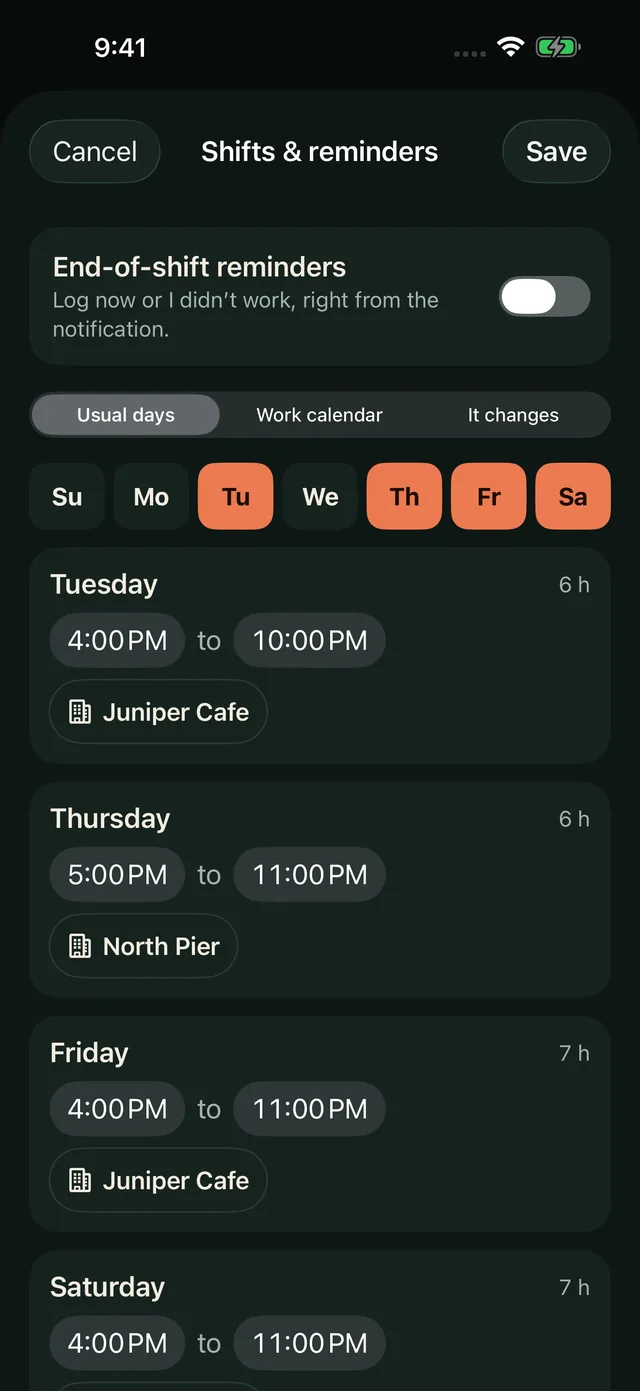
Optional reminders timed to your usual shifts, a set time or a work calendar you pick.
Your week, recapped
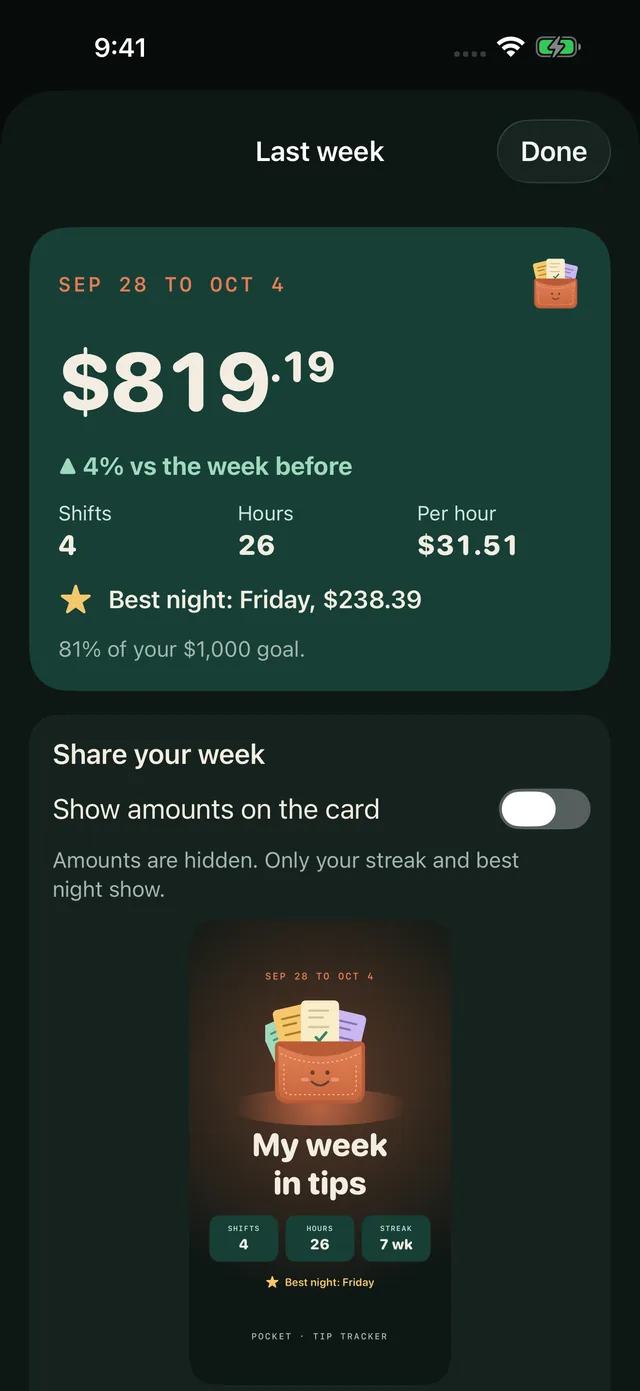
A weekly recap with a share card that keeps the amounts hidden unless you choose to show them.
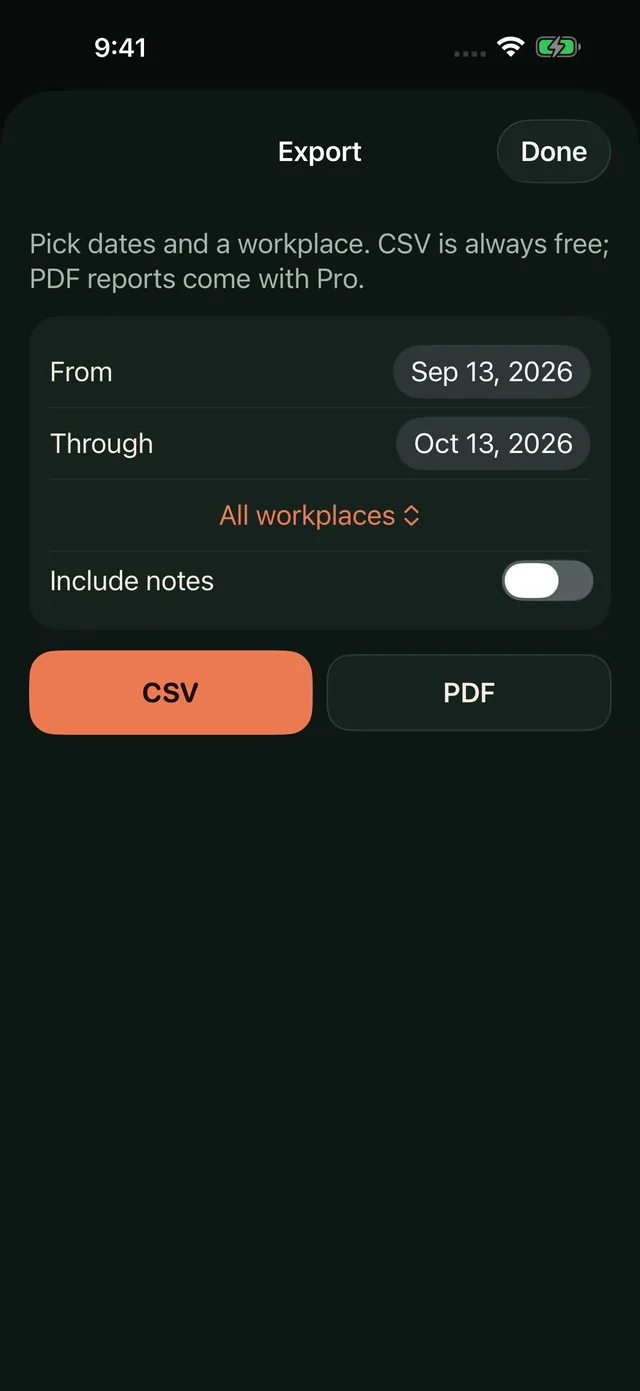
Real app screens with example shifts.
04 / Your records stay yours
No bank login. No account. No employer link.
Pocket only knows what you type. Your shifts live on your device, with optional private iCloud sync, free CSV exports and full backup files. Analytics never include your amounts, workplaces or notes, and you can switch them off.
Pocket records what you enter. It does not provide payroll, tax filing or financial advice.
Start free
5 shifts on the house. Pro when it sticks.
Free
Try it on real shifts.
Your first 5 saved shifts
Week and month insights and a weekly goal
CSV exports and full backups
Shift reminders and the week widget
Optional private iCloud sync
Your saved history stays readable and editable after the free shifts are used.
Pocket Pro
Keep logging.
Unlimited new shifts
Reusable usual-shift templates
More workplaces and wage rates
Year and best-weekday insights
PDF reports and the detailed widget
$2.99 a month or $19.99 a year in the U.S.
Prices vary by region; Apple’s purchase sheet shows the exact price and any eligible offer before you buy. Subscriptions renew automatically until canceled in your Apple Account settings. Read the terms.
Your first 5 saved shifts are free. Reading and editing your history, week and month insights, CSV exports, backups, reminders and optional private iCloud sync stay available after that, and after a subscription ends.
What does Pocket Pro add?
Unlimited new shifts, reusable usual-shift templates, more workplaces and wage rates, year and weekday insights, PDF reports and the detailed widget.
Does Pocket connect to my bank or employer?
No. Pocket records what you enter. There is no bank connection, no payroll link and no account to create.
Do my amounts leave my phone?
Only if you choose. Shifts are stored on your device. If you turn on iCloud sync, Apple keeps a copy in your private iCloud database. Analytics never include amounts, workplace names or notes, and you can turn analytics off in Settings.
Is Pocket tax or payroll software?
No. Pocket adds up the numbers you record. It does not file taxes, run payroll or give financial advice. Check your official pay records before relying on a total.
How do shift reminders work?
Reminders are optional and scheduled on your device. Pocket can time them from your usual shifts, a nightly time you pick, or event end times on one calendar you choose. Calendar data is read on your iPhone only.
 Pocket